

Classical vs BDD
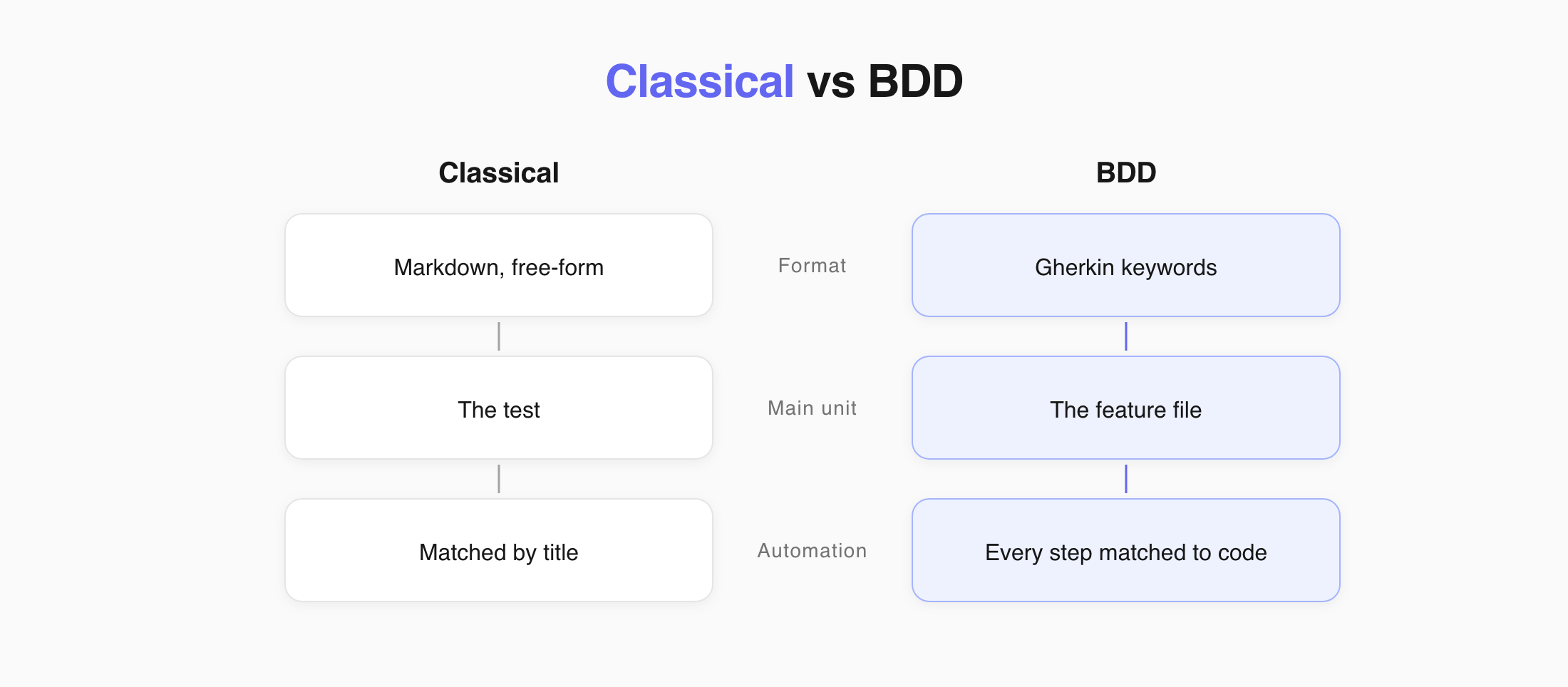
Testomat.io has two project types: Classical and BDD. Both hold manual and automated tests. They differ in how you write a test, where its data lives, and how it connects to code.
Choose Your Project Type
Section titled “Choose Your Project Type”| Classical if you | BDD if you |
|---|---|
| Write mostly manual tests | Write scenarios with business, dev, and QA together |
| Move from spreadsheets or another TMS | Use a Cucumber-based framework |
| Want to describe steps in your own words | Want every step backed by code |
You choose the type when you create the project, and it cannot be changed later.
Main Differences
Section titled “Main Differences”| Classical | BDD | |
|---|---|---|
| Test format | Markdown | Gherkin |
| Editor | Block and Markdown | Gherkin only |
| Syntax | Free-form | Fixed - Given, When, Then, And |
| The main unit | The test | The feature file |
| Tags and details live | On the test | In the feature file |
| Automation matches by | Test title and file path | Every step, one by one |
| Templates | Yes | No |
| Invalid test | Cannot happen | Saves as a draft until you fix it |
Writing a Test
Section titled “Writing a Test”Classical takes whatever you type. A step can be a sentence, a paragraph, or a table.
BDD reads Gherkin as you type. Misspell a keyword and the test will not save.
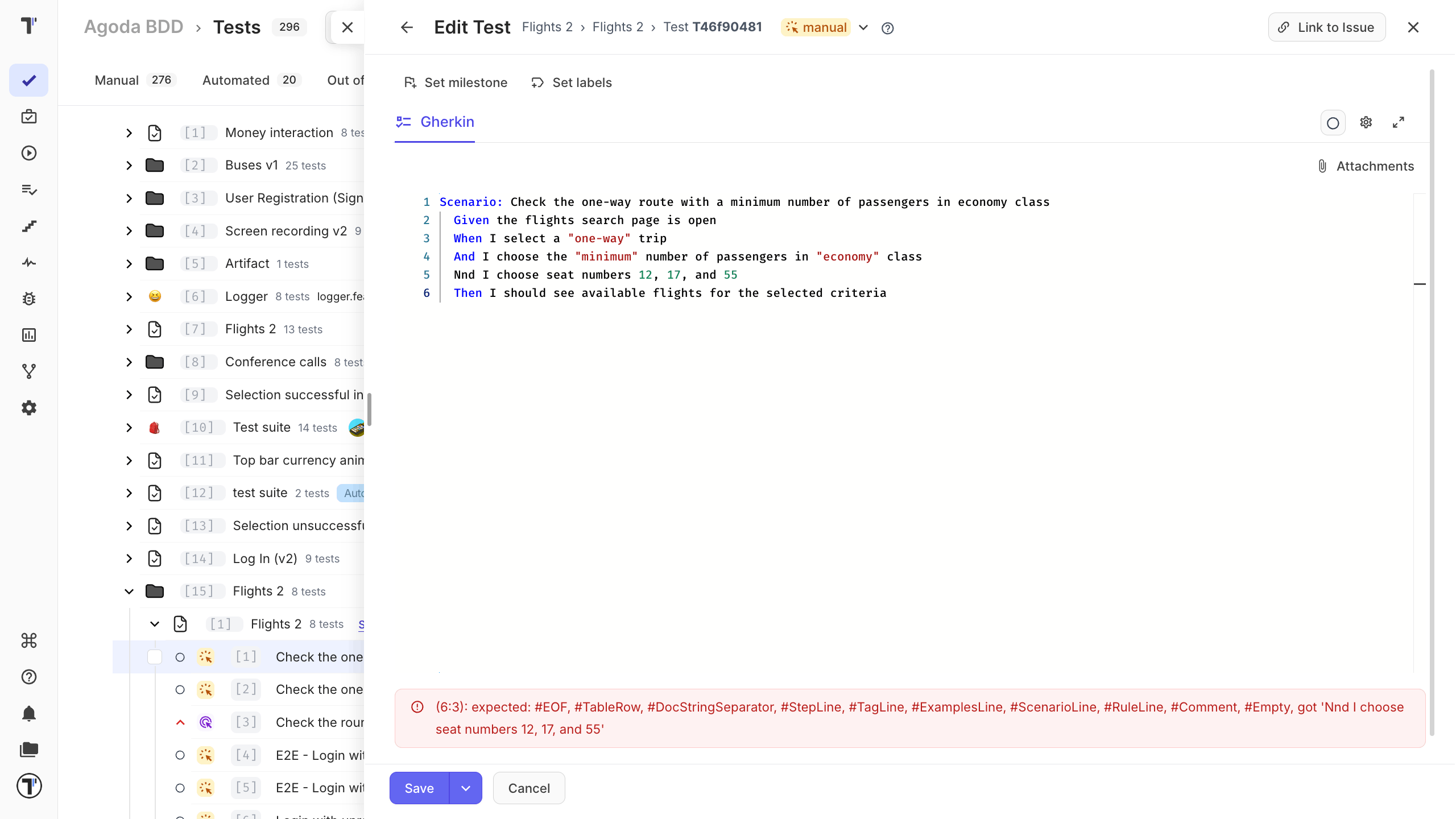
That is why BDD has Save To Draft and Classical does not. Free-form Markdown has nothing that can fail.
Moving a Test
Section titled “Moving a Test”In Classical, a test carries its own data, so it moves or copies on its own.
In BDD, you are moving a part of a document. Check that the feature file it came from still makes sense.
Connecting to Code
Section titled “Connecting to Code”Classical matches a test to code by title. A step is free text, so it can describe an action no code performs.
BDD matches every line to a step definition. A line without one is a gap, not a description.
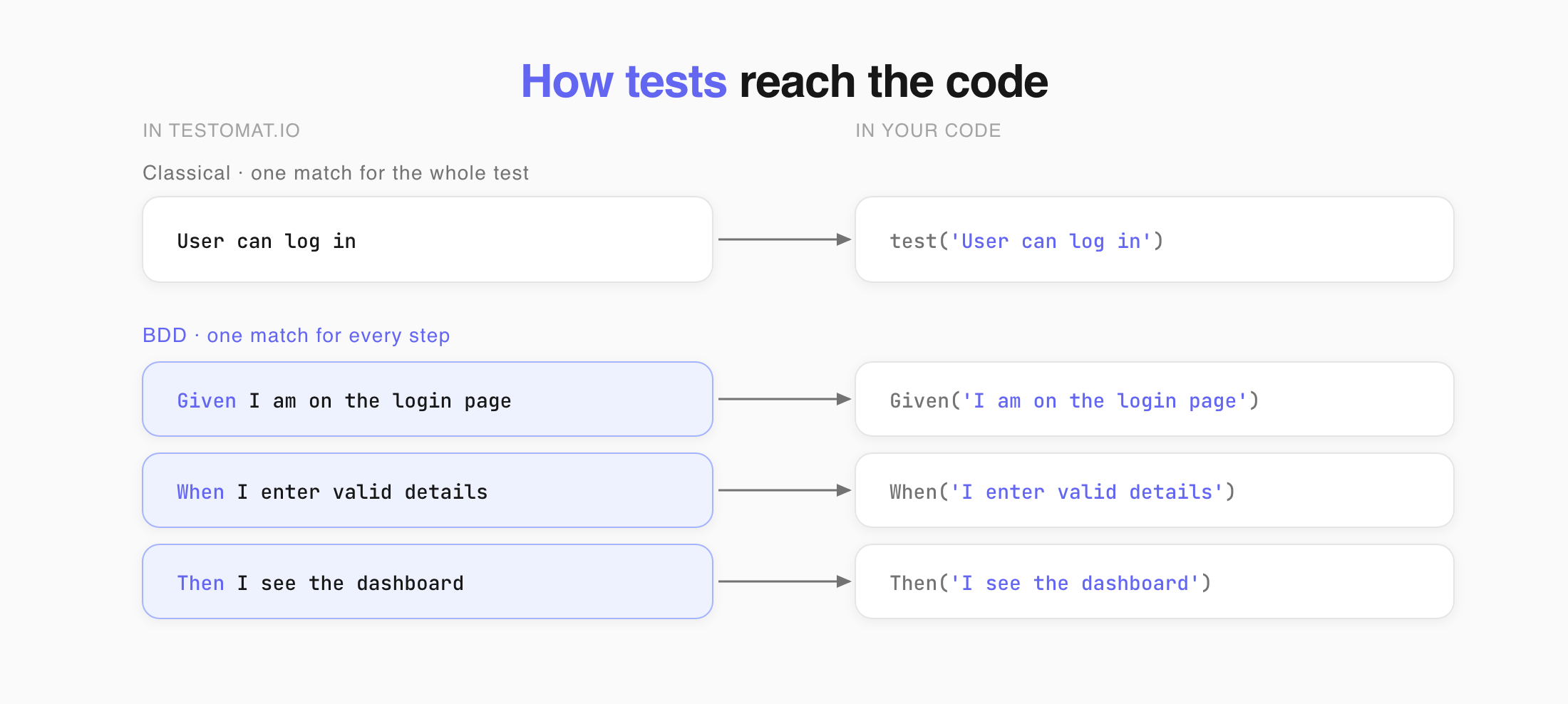
The payoff is reuse. Once Given I am on the login page has a definition, every scenario that needs a login reuses it.
Write one action per line. A step that bundles three actions needs its own definition and fits nowhere else.
One Format per Project
Section titled “One Format per Project”You cannot add Gherkin tests to a Classical project. Some things can break:
| What breaks | Why |
|---|---|
| Syntax | A Markdown test in a Gherkin suite has no keywords. The feature file stops working in the editor and in your framework. |
| Data | One format keeps details on the test, the other in the file. The system cannot tell separate tests from one shared document. |
| Automation | Some tests would need a definition per line, others map to nothing on purpose. Half of the reports come out wrong. |